AI workflow automation for professionals is the practice of connecting apps, data sources, and AI models into self-running sequences that handle repetitive business tasks — without manual intervention or coding knowledge.
Every professional has a version of the same problem. The work itself — the thinking, the judgment, the client relationships — takes maybe 60% of the day. The other 40% is coordination: moving data between apps, sending follow-up emails, updating records, formatting reports, chasing approvals. AI workflow automation for professionals exists specifically to eliminate that second category.
What changed recently makes this more accessible than ever. Platforms like Make.com and Zapier have moved well beyond simple “if this, then that” logic. They now support multi-step AI agents that can read documents, make conditional decisions, and trigger different actions based on what the AI finds — not just what a human pre-programmed. For professionals who’ve looked at automation before and found it too rigid or too technical, 2025 changed that equation significantly.
This guide covers how workflow automation actually works, which platforms suit which professional needs, and how to build your first automated system without writing a single line of code. If you’re already familiar with the broader AI tools landscape, the profession-by-profession breakdown of AI tools is a useful companion reference for what you’ll be automating.
What AI Workflow Automation for Professionals Actually Means
The phrase gets used loosely. Before building anything, it helps to understand what separates genuine AI automation from basic app integrations — because the distinction determines how much time you actually save.
Traditional Automation vs. AI-Powered Automation
Traditional automation is rule-based: when X happens, do Y. A new form submission triggers an email. A calendar event creates a Notion page. These are useful, but they’re brittle — they break the moment something outside the expected pattern happens.
AI-powered automation adds a reasoning layer. Instead of “when a new email arrives, add it to a spreadsheet,” it becomes “when a new email arrives, determine if it’s a client inquiry, extract the key details, draft a personalized reply, and flag it for review if the sentiment is negative.” The AI reads, interprets, and decides — the automation executes.
Diana runs a small consulting firm and spent two years convinced automation wasn’t worth the setup time. “Every time I built something in Zapier, it broke within a week because a client used a different subject line format,” she said. “When I rebuilt the same workflow in Make.com with an AI step in the middle, it stopped breaking. The AI figures out what the email is about regardless of how it’s worded.”
The Three Layers of Professional Workflow Automation
Understanding these three layers helps you decide where to start and what to build next.
Layer 1 — Data movement: Automatically transferring information between apps with no transformation. Example: copying a form response into a CRM. Low effort, immediate time savings, no AI required.
Layer 2 — Conditional logic: Workflows that branch based on rules. Example: routing support tickets to different team members based on category. Medium effort, significant time savings, still no AI required.
Layer 3 — AI reasoning: Workflows where an AI model reads, interprets, classifies, or generates content as part of the sequence. Example: summarizing meeting transcripts and sending action items to the right people automatically. Higher setup effort, transformative time savings, this is where the real leverage lives.
Most professionals should start at Layer 1, get a quick win, then build toward Layer 3 as confidence grows.
In other words, the goal isn’t to automate everything at once — it’s to identify which layer each task belongs to and build from the bottom up.
The Best Platforms for AI Workflow Automation in 2026
Three platforms dominate the no-code automation space for professionals. Each has a distinct strengths profile.
| Platform | Best For | AI Capabilities | Starting Price |
|---|---|---|---|
| Make.com | Complex multi-step workflows, visual builders | Native AI modules, HTTP calls to any LLM | Free / $9/mo |
| Zapier | Simple integrations, wide app library | Zapier AI, ChatGPT integration | Free / $20/mo |
| n8n | Technical users, self-hosted options, AI agents | Full LLM integration, agent nodes | Free (self-hosted) / $20/mo |
Make.com is the platform most professionals find easiest to grow with. Its visual canvas — where each step of a workflow appears as a connected node — makes complex automations readable and debuggable without technical expertise. The native AI modules allow you to call GPT-4o, Claude, or Gemini mid-workflow without any coding. Start building your first workflow in Make.com — the free plan covers most beginner use cases comfortably.
Zapier remains the best choice for simple, single-step integrations across its library of 6,000+ apps. If your primary need is connecting two apps with a single trigger-action, Zapier’s setup is faster. For multi-step AI workflows, Make.com has a meaningful edge.
n8n suits professionals with some technical comfort who want maximum flexibility. Its self-hosted option means data stays on your own server — important for legal, healthcare, and finance professionals with strict data governance requirements.
5 AI Workflow Automations Every Professional Should Build First
These five workflows cover the most universal professional pain points. Each one is buildable in Make.com within an afternoon.
1. Automated Email Triage and Response Drafting
The problem: Professionals spend an average of 2.5 hours per day on email. Most of that time is reading, categorizing, and drafting replies to messages that follow predictable patterns.
The automation: New email arrives → AI reads and classifies it (client inquiry / internal / newsletter / urgent) → drafts a response for client inquiries → saves draft to Gmail/Outlook for review → logs the inquiry to a CRM → flags urgent items via Slack notification.
Time saved: 45–90 minutes per day for high-volume email users.
2. Meeting Transcription and Action Item Distribution
The problem: Action items from meetings get lost. Someone takes notes, formats them inconsistently, and sends a recap that three people ignore.
The automation: Zoom/Teams meeting ends → Otter.ai generates transcript → transcript sent to Make.com → AI extracts action items, assigns owners based on name mentions, and formats a structured recap → recap sent via email and posted to the project’s Notion page automatically.
Time saved: 20–30 minutes per meeting, plus the follow-up chasing that never happens when action items are already distributed.
3. Client Onboarding Sequence
The problem: Onboarding a new client involves the same 12 steps every time: welcome email, contract, questionnaire, calendar link, project setup, team notification. Done manually, it takes 45–60 minutes per client.
The automation: New client signs contract → Make.com triggers welcome email sequence → creates project folder in Google Drive → sets up Notion workspace from template → notifies internal team in Slack → schedules onboarding call via Calendly → logs client details to CRM.
Time saved: 45+ minutes per new client. For service businesses onboarding 4–8 clients per month, this recovers a half-day of work monthly.
For a step-by-step walkthrough of this specific workflow, the dedicated guide on AI client onboarding automation covers every node in detail.
4. Invoice and Payment Follow-Up
The problem: Following up on unpaid invoices is uncomfortable and time-consuming. Most freelancers and small business owners either do it inconsistently or not at all.
The automation: Invoice sent via FreshBooks/QuickBooks → Make.com monitors payment status → at day 7, sends a polite reminder → at day 14, sends a firmer follow-up with the invoice attached → at day 21, flags to owner for manual review. All messages written in your tone by AI, reviewed once during setup.
Time saved: The psychological cost is the bigger win here — you stop having to remember and dread it. For a detailed build of this workflow, the invoice automation for freelancers guide covers every step.
5. Social Media Content Distribution
The problem: Creating content once and manually reformatting it for LinkedIn, Twitter/X, and a newsletter is repetitive production work that buries creative time.
The automation: New blog post published on WordPress → Make.com pulls the content → AI generates a LinkedIn post, a short-form Twitter thread, and a newsletter intro in three separate styles → posts are saved as drafts to Buffer/Hootsuite → newsletter draft sent to Mailchimp for review.
Time saved: 30–45 minutes per piece of content published.
Pro Tips for Building Your First AI Workflow
Start with a workflow you already do manually, not one you wish you did — the best automation target is something you’re currently doing every week without thinking. Automating a task you’ve never actually done creates workflows that never get used.
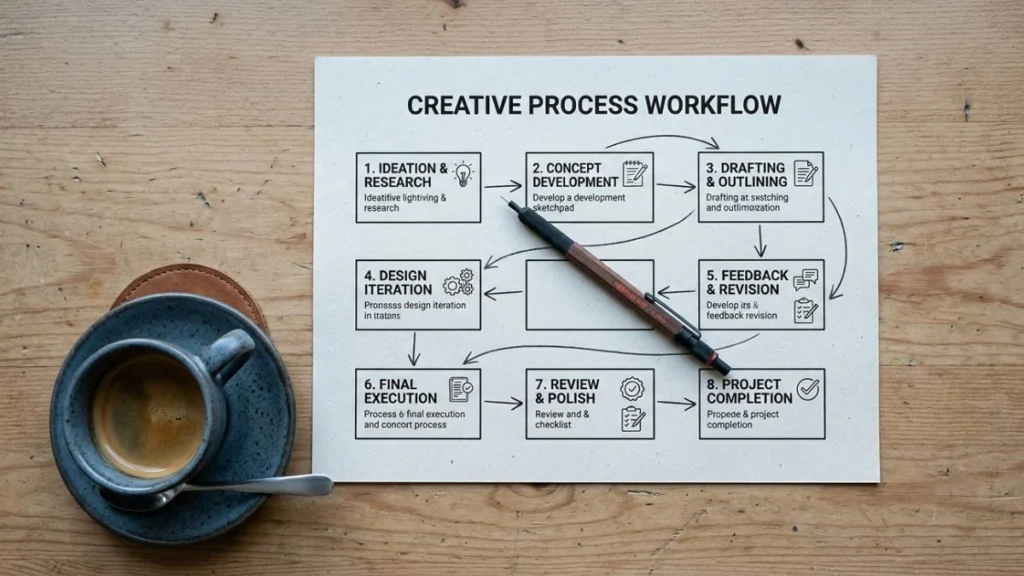
Map the steps on paper before touching the platform — draw each step as a box with an arrow. Identify where data transforms (email text becomes a CRM entry), where decisions happen (urgent vs. non-urgent), and where AI needs to read something. This 10-minute exercise cuts build time in half.
Build one node at a time and test as you go — Make.com and Zapier both allow you to run individual steps before the full workflow is active. Use this. Finding a broken step mid-workflow is far easier than debugging a 12-step sequence that silently fails.
Use AI for the steps that require interpretation, not the steps that just move data — calling an LLM costs time and money per run. Reserve AI steps for genuine reasoning tasks: classification, summarization, drafting. Use direct data mapping for everything else.
How to Choose the Right Automation Platform for Your Profession
The platform decision comes down to three factors: workflow complexity, data sensitivity, and team size.
For solo professionals and freelancers: Make.com’s free plan handles the most common workflows (email triage, invoicing, social media) without cost. Start here. If you want to go deeper into building complex multi-step automations, a structured course covering Make.com, Zapier, and n8n together covers all three platforms with hands-on workflow examples.
For small teams (2–10 people): Make.com’s Core plan at $9/month scales well. Zapier’s Team plan adds collaboration features if your team is already Zapier-native.
For legal, healthcare, or finance professionals: n8n’s self-hosted option is worth the slightly steeper learning curve. Data never touches a third-party server — which matters when client confidentiality is non-negotiable.
The professionals who get the most from automation aren’t the ones who build the most complex workflows — they’re the ones who identify the right three or four processes, automate them well, and actually let those automations run without constantly second-guessing them.
AI workflow automation isn’t about replacing professional judgment. It’s about ensuring that judgment gets applied to work that actually requires it — not to scheduling, formatting, filing, and following up. Once the repetitive layer runs on autopilot, the quality of the remaining work tends to improve on its own.
To continue building your automation stack, the most logical next step depends on your starting point. If you’re a freelancer, the invoice automation workflow is the fastest ROI you’ll find. If you’re managing a team, the client onboarding sequence recovers the most time per month. And if you want to understand which AI tools feed best into these automations by profession, the full breakdown lives in the AI tools for professionals guide.
FAQ
What is AI workflow automation for professionals?
AI workflow automation for professionals is the use of no-code platforms like Make.com or Zapier — combined with AI models like GPT-4o or Claude — to build self-running sequences that handle repetitive business tasks automatically. These workflows connect multiple apps, apply AI reasoning where needed, and complete tasks that would otherwise require manual effort.
Do I need coding skills to automate my professional workflows?
No. Platforms like Make.com and Zapier use visual drag-and-drop interfaces where each automation step is represented as a connected node. The only skill required is a clear understanding of what you want to automate — the platforms handle the technical execution.
What’s the difference between Make.com and Zapier for professional use?
Zapier is faster to set up for simple single-step integrations and has a larger app library. Make.com handles complex multi-step workflows better, offers native AI integration at a lower price point, and gives more visibility into how data flows between steps. For professionals building AI-powered automations beyond basic triggers, Make.com is generally the stronger choice.
How long does it take to build an automated workflow?
A simple workflow — one trigger, two or three actions — takes 20–45 minutes to build in Make.com or Zapier. A complex multi-step workflow with AI reasoning steps and conditional branches typically takes 2–4 hours. Most professionals recover that setup time within the first week of the automation running.