Last updated: 3 August 2026
JFK spreads across five active terminals (1, 4, 5, 7, and 8) with no secure, airside link between any of them — changing terminals means leaving security, riding the free AirTrain, and clearing TSA screening again at your next terminal. A same-terminal connection can work with as little as 45–60 minutes; a terminal change on a single ticket realistically needs 90 minutes or more, and a self-transfer on separate tickets or after an international arrival should be planned at 3–4 hours or longer.
JFK’s layout is the single biggest thing to understand before connecting through it: unlike hub airports built around one central secure zone, JFK’s terminals are essentially separate buildings, each with its own security checkpoint. That structural reality — not the airport being disorganized — is why a terminal-changing connection here takes meaningfully longer than the same kind of connection at many other major airports.
Quick Facts
- Active terminals: 1, 4, 5, 7, and 8, connected only by the free AirTrain — there’s no secure, airside walkway between them
- Same-terminal connection: Can work with 45–60 minutes in many cases
- Terminal-change connection, single ticket: Plan for 90 minutes or more, since it requires leaving security, riding the AirTrain, and clearing TSA screening again
- International arrival connecting onward: Per JFK’s own guidance, you must clear immigration, collect your checked bags (even if tagged through), recheck them, and pass through security again before your next flight
- Separate tickets: May require completing full arrival procedures — claiming bags, then checking in and dropping bags again with the connecting airline
- AirTrain: Runs 24/7, arriving every few minutes, and is free for trips between JFK terminals
- Terminal 4 exception: Delta operates a free shuttle bus between concourses within Terminal 4 itself, and you do not need to go through TSA security again for that specific internal transfer
Why JFK Connections Take Longer Than You’d Expect
The core structural fact to plan around is this: JFK has no airside connector linking its terminals the way some other major hub airports do. Per JFK’s own connections guide, moving between terminals means physically leaving the secure zone, taking the AirTrain to your next terminal, and going through TSA screening again from scratch — there’s no shortcut that skips security a second time. This is fundamentally different from an airport where all terminals share one secure zone, and it’s the reason JFK layover advice consistently pushes for more buffer time than a same-airport-family connection might suggest.
What Happens on an International Connection
If you’re arriving internationally and connecting to a domestic or another international flight, JFK’s official guidance is specific: U.S. Customs and Border Protection requires you to go through immigration, collect your checked bags — even if they’re tagged all the way through to your final destination — and recheck them, then pass through security again before continuing. This isn’t a JFK-specific quirk so much as a general US entry-point requirement, but it does mean international connections through JFK specifically require the full re-entry process rather than a lighter transit-only procedure.
Separate Tickets Add Another Layer
If your connection was booked as two separate tickets rather than one linked itinerary, JFK notes you may need to complete full arrival procedures regardless of whether the connection is domestic or international — claiming your checked bags, then checking in and dropping bags again with the next airline as if you were starting a fresh trip. This is functionally similar to how separate-ticket connections work at most airports, but it’s worth flagging specifically for JFK given how much additional walking and screening a terminal change already requires on top of it.
How the AirTrain Actually Works
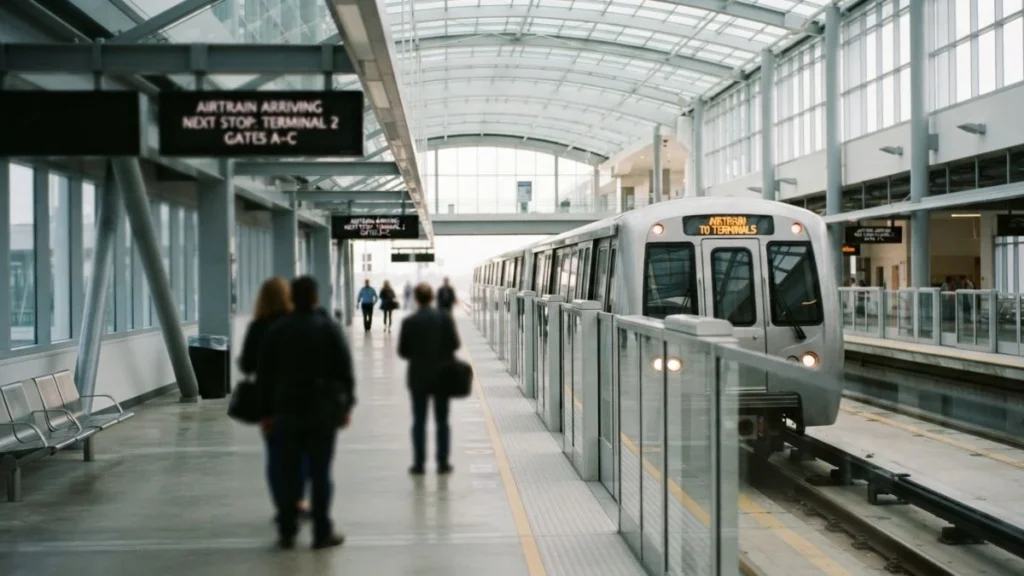
The AirTrain is the connective tissue holding JFK’s spread-out terminal layout together — a free, 24-hour automated rail loop connecting every terminal, running every few minutes. For a straightforward terminal-to-terminal connection where you’re not also dealing with immigration or a baggage recheck, the ride itself is quick; the added time in a terminal-change connection comes mostly from re-clearing TSA security at the new terminal, not from the AirTrain ride.
The Terminal 4 Exception
Terminal 4 has its own internal shortcut worth knowing if your connection happens to be entirely within it: Delta operates a free shuttle bus between concourses inside Terminal 4 specifically to reduce walking distance, and this particular shuttle doesn’t require going through TSA security again. It’s worth noting this isn’t necessarily faster than walking, depending on where your gates are — but it does mean an all-Terminal-4 connection can, in some cases, avoid the “leave security, come back through security” pattern that applies to every other terminal change at JFK.
Conclusion
A JFK layover is manageable as long as you plan around its actual structure rather than assuming it works like a single-terminal airport. Same-terminal connections can be genuinely quick; anything involving a terminal change means budgeting real time for the AirTrain and a second trip through TSA security, and international arrivals connecting onward require the full immigration-and-recheck process regardless of your ticket type. Building in extra time specifically for these structural realities — not just general airport chaos — is what actually prevents a JFK layover from turning into a missed connection.
FAQ
How long of a layover do I need at JFK?
It depends heavily on whether you’re staying in the same terminal or changing. A same-terminal connection can work with 45–60 minutes. A terminal change on a single ticket needs 90 minutes or more, and a self-transfer on separate tickets, or an international connection, should be planned at 3–4 hours or longer.
Do I need to go through security again if I change terminals at JFK?
Yes. JFK has no secure, airside link between its terminals, so changing terminals means leaving security, riding the free AirTrain, and clearing TSA screening again at your next terminal — the one specific exception being Delta’s internal shuttle within Terminal 4.
What happens if I connect internationally through JFK?
Per JFK’s official guidance, you must clear immigration, collect your checked bags even if they’re tagged to your final destination, recheck them, and pass through security again before your next flight, since U.S. Customs and Border Protection requires this for all international arrivals.
Is the JFK AirTrain free?
Yes, riding the AirTrain between JFK terminals is free. It only costs money if you exit the airport loop to connect to the LIRR or subway at Jamaica or Howard Beach stations.
What if my connecting flights at JFK were booked as separate tickets?
You may need to complete full arrival procedures — claiming your checked bags, then checking in and dropping bags again with your next airline, similar to starting a new trip, regardless of whether the connection is domestic or international.
JFK’s terminal structure connects directly to broader layover planning — see Can You Leave Airport During Layover? Rules & Timing Explained and Checked Bags During Transit for the general rules this guide builds on.