An AI lead generation workflow is an automated pipeline that uses artificial intelligence to identify, enrich, score, and route prospects — so sales teams spend time on conversations that convert, not on manual list-building and data entry.
Most sales teams have the same problem: too much time spent on prospecting mechanics, not enough on actual selling. Research from Martal shows that AI-enabled teams are lifting lead volume by up to 50% and compressing sales cycles by roughly 25% — not by working harder, but by automating the parts of lead generation that don’t require human judgment.
The shift in 2026 isn’t just about adding a tool here and there. The teams winning pipeline are building connected workflows where AI handles prospect identification, data enrichment, lead scoring, and first-touch outreach automatically — while human reps handle discovery, objection handling, and closing. That division of labor is what changes the math.
This guide walks through how to build that workflow from scratch, which tools handle each stage, and how to connect them using automation platforms. For broader context on how AI fits into professional operations beyond sales, the full overview of AI workflow automation for professionals covers the strategic framing before going workflow-specific.
The Four Stages of an AI Lead Generation Workflow
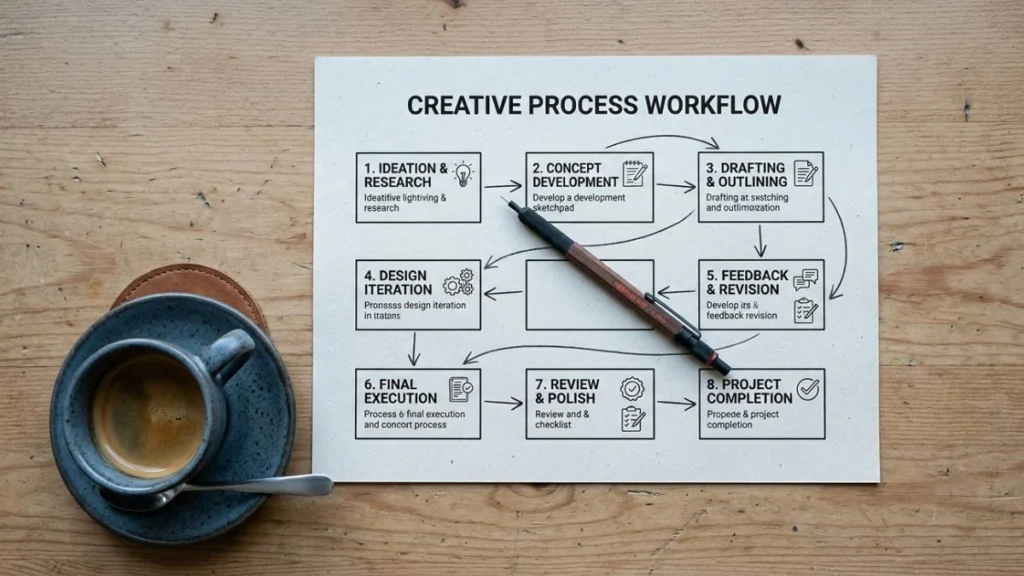
Before building anything, map the four stages your workflow needs to cover. Most broken lead generation processes fail because they automate one stage and leave the others manual.
Stage 1 — Prospect Identification: Finding accounts and contacts that match your ideal customer profile (ICP), using AI-powered databases and intent signal detection.
Stage 2 — Data Enrichment: Automatically pulling company size, tech stack, recent funding, job changes, and contact details for every prospect identified.
Stage 3 — Lead Scoring and Routing: AI scores each enriched lead against your ICP criteria and routes qualified leads to the right rep immediately — unqualified leads go into a separate nurture sequence.
Stage 4 — Personalized Outreach: AI drafts the first-touch email or LinkedIn message using the enriched data, personalizing at scale without manual copywriting for each contact.
Each stage connects to the next. The automation platform — Make.com or Zapier — is the connective tissue that keeps data flowing between tools without manual handoffs.
Tools for Each Stage
Stage 1: Prospect Identification
Apollo.io — Combines a B2B contact database with AI-powered intent intelligence. Apollo identifies accounts actively showing buying signals — content consumption patterns, search behavior, competitive research — and surfaces the specific contacts inside those accounts. With nearly 100,000 paying customers, it’s the most widely adopted starting point for AI-assisted prospecting.
ZoomInfo — Enterprise-grade B2B data platform with deep intent signal detection. Better suited for larger sales teams with dedicated operations support. Before ZoomInfo, LINAK’s sales team spent hours manually researching company lists; after implementation, they generated $33,000 in quotes from a single campaign in under three weeks.
Clay — Newer but increasingly standard in high-performing outbound stacks. Clay pulls from multiple data sources simultaneously and uses AI to research prospects at scale — reading LinkedIn profiles, company news, and recent activity to build personalized context for every contact.
Stage 2: Data Enrichment
Clay (doubles as enrichment layer) — Once you have a contact list, Clay runs what’s called waterfall enrichment: checking multiple data providers in sequence until it finds verified contact data, reaching 85%+ email coverage rates that single-provider tools can’t match.
Clearbit (now part of HubSpot) — Enriches inbound leads in real time as they hit your CRM. When a lead fills out a form, Clearbit appends company size, industry, revenue range, and tech stack data before the lead reaches a rep.
Stage 3: Lead Scoring and Routing
This is where the AI reasoning layer lives. The workflow at this stage:
- Enriched lead data flows into your automation platform (Make.com or Zapier)
- An AI model (OpenAI or Claude via API) scores the lead against your defined ICP criteria
- Qualified leads are routed immediately to the assigned rep with a CRM task created
- Unqualified leads are tagged and enrolled in a longer nurture sequence
Make.com is the better choice for this stage if your scoring logic has multiple conditions, branches, or filters. Its visual canvas makes complex routing logic easier to build and maintain. Zapier works well for simpler scoring criteria where the logic is essentially linear — lead comes in, score is checked, one of two paths is triggered.
Stage 4: Personalized Outreach
HubSpot Breeze — For teams already in HubSpot, Breeze’s AI drafts personalized email sequences based on the enriched lead data and the rep’s past communication patterns. It handles multi-channel outreach across email and LinkedIn from a single workflow.
Instantly / Smartlead — For high-volume cold outreach, these platforms handle email deliverability, inbox rotation, and AI-personalized sequences at scale. Best for SDR teams running outbound at volume.
Apollo sequences — For teams who want prospecting and outreach in one platform without additional tools.
Building the Workflow: Step-by-Step with Make.com
Here’s how to connect these stages into a functional automated pipeline using Make.com as the orchestration layer.
Step 1 — Set up your trigger
In Make.com, create a new scenario. Set the trigger as a new row added to a Google Sheet or Airtable (where your prospect list lives), or a webhook from Apollo when a new contact matches your ICP filter.
Step 2 — Enrich the contact
Add a Clay or Clearbit module to pull additional data for each triggered contact. Configure the fields you need: company size, industry, LinkedIn URL, recent news, tech stack. Make.com passes this data forward automatically.
Step 3 — Score with AI
Add an OpenAI or HTTP module that sends the enriched contact data to an AI model with a scoring prompt. A simple prompt structure:
“Review the following prospect data: [company name], [industry], [size], [tech stack], [recent news]. Score this lead from 1–10 based on fit with our ideal customer profile: [describe your ICP]. Return only the score and a one-sentence rationale.”
Make.com receives the score and routes accordingly using a Router module.
Step 4 — Route and notify
- Score ≥ 7: Create a CRM task in HubSpot or Salesforce, assign to the rep, send a Slack notification with the lead summary and score rationale
- Score < 7: Add contact to a nurture sequence in your email platform, tag in CRM as “long-term nurture”
Step 5 — Draft the outreach
For qualified leads, add another AI module that drafts a personalized first-touch email using the enriched data. Feed it the contact’s recent LinkedIn activity or company news for genuine personalization — not just mail-merge substitution.
The time saving from this single workflow: one guide found this structure saves 20–40 minutes per lead on manual research and drafting, compounding significantly across high-volume prospecting.
Pro Tips for Building This Workflow
Start with one stage, not the whole pipeline — The most common mistake is trying to automate all four stages simultaneously. Build Stage 3 (scoring and routing) first. It’s the highest-leverage step because it determines where rep time goes. Once that’s running, add enrichment upstream and outreach downstream.
Define your ICP in writing before building the scoring prompt — AI scoring is only as good as the criteria you give it. Before touching Make.com, write down exactly what makes a lead qualified: industry, company size, tech stack signals, geography, and any disqualifying factors. That document becomes your scoring prompt.
Use Make.com for complex logic, Zapier for simple handoffs — If your workflow has multiple branching conditions, filters, or high monthly volume, Make.com’s visual canvas and cost-per-operation pricing make it the better long-term choice. For simpler automations with fewer steps, Zapier’s faster setup time wins. You can build the Make.com version of this lead generation pipeline directly inside Make.com’s scenario builder without writing a line of code.
Monitor scoring accuracy weekly for the first month — AI scoring drifts if your ICP shifts or if the market context changes. Review the leads your AI scored ≥ 7 versus what actually converted. Adjust the scoring prompt based on real outcomes, not just initial assumptions.
Marcus, an SDR manager at a B2B SaaS company, rebuilt his team’s outbound process around this four-stage workflow using Apollo for prospecting, Clay for enrichment, and Make.com for scoring and routing. In the first 90 days, his team’s time spent on manual research dropped by roughly 60% — and because reps were only working scored leads, their connect rate improved as well.
What AI Doesn’t Replace in Lead Generation
The data is clear that AI-enabled teams outperform manual ones on volume and speed. What the data also shows is that the gains concentrate in specific stages — the research and routing layers. The stages where humans still win: strategy decisions about which segments to target, objection handling, complex discovery conversations, and relationship-based closing.
The teams that build this workflow and then try to automate the human stages too — replacing discovery calls with AI agents, for example — tend to see diminishing returns and client experience problems. The workflow above is designed to maximize the hours your reps spend on the stages only humans can handle well.
Once this pipeline is running, the natural next extension is building an automated client onboarding workflow that picks up where lead generation ends — the step-by-step AI client onboarding workflow guide covers exactly how to connect those two processes.
FAQ
What is an AI lead generation workflow?
An AI lead generation workflow is an automated pipeline that uses AI to handle the research and routing stages of prospecting — identifying accounts, enriching contact data, scoring leads against your ICP, and triggering personalized outreach — so sales reps spend their time on qualified conversations rather than list-building.
Do I need coding skills to build this workflow?
No. Make.com and Zapier are no-code platforms. The AI scoring step requires writing a prompt (not code), and the routing logic uses visual if-then branching rather than programming. A non-technical sales ops person can build the full workflow described above in a few hours.
How long does it take to see results from an AI lead generation workflow?
Most teams see measurable time savings in the first two weeks — specifically the reduction in manual research time. Pipeline quality improvements take longer to measure because they depend on sales cycle length. Plan to evaluate scoring accuracy at 30 days and conversion impact at 90 days.
Make.com or Zapier — which is better for this workflow?
Make.com for complex, multi-branch workflows with higher volume. Zapier for simpler logic and faster setup. The four-stage workflow described above benefits from Make.com’s visual canvas and cost-per-operation pricing once you’re running more than a few hundred leads per month. Start with whichever your team can actually use — a working simple workflow beats a broken complex one.